
Ads
The creator economy has entered a new era. Today, you do not need to be a veteran 3D modeler to design impressive accessories and assets. By leveraging modern AI generation tools—such as Meshy—players can bridge the gap between imagination and a functional digital storefront.
You will be redirected to another website
However, while AI shortens the creative process, turning those concepts into a sustainable source of virtual currency requires navigating the official marketplace rules, technical guardrails, and platform fees.
The AI-to-Studio Workflow
AI tools like Meshy allow you to generate 3D models from text prompts or 2D images. Many of these platforms now feature native compatibility or clean export pipelines designed for game engines.




💡 How it works
Generation
Prompt the AI to create a specific accessory (e.g., custom helmets, shoulder pets, or unique backpacks).
Optimization
Raw AI outputs are often highly complex. You must optimize the model to fit platform constraints before uploading.
Importing
Bring the optimized file into the development environment to finalize its rigging and attachment points.
Technical Limitations You Must Meet
The marketplace enforces strict performance caps to ensure assets run smoothly on mobile devices and consoles.
- Polygon Count: Assets must strictly stay under a ceiling of approximately 20,000 triangles. You will likely need to use a decimation or remesh tool (LOD) to clean up raw AI meshes.
- Textures: Texture maps must be formatted properly, typically capped at a 1024×1024 resolution.
Financial Requirements & Marketplace Fees
Publishing assets is a legitimate business path, which means it involves upfront costs and platform revenue splits. To keep the marketplace safe and avoid spam, certain requirements are mandatory:
You will be redirected to another website
1. Account Eligibility
To publish custom assets (UGC) to the public catalog, your account must meet specific verification or subscription thresholds. You must have ID Verification completed combined with an active subscription tier (Premium 1000 or Premium 2200), or be part of the official developer programs.
2. Upfront Publishing Costs
Focusing on 3D Accessories is currently the most direct and reliable path for AI creators. The cost structure consists of:


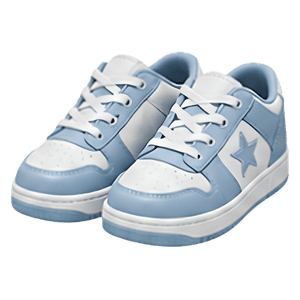
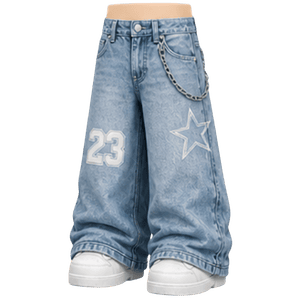
| Fee Type | Cost (Virtual Currency) | Notes |
| Upload Fee | 300 per item | Required to submit the 3D asset to the platform. |
| Publishing Advance | ~600 to 2,500 per item | A refundable advance dynamic fee based on the item type. |
⚠️ Important Policy Update: Traditional 2D assets (classic clothing) now strictly require a Premium membership to publish. Older 2D items on the platform face dynamic delisting if the creator does not maintain an active Premium status. Focus on 3D accessories for the best long-term results.
3. The Revenue Split
When your item sells in the marketplace, the platform retains a portion of the transaction to maintain infrastructure and moderation.
- The Split: The platform takes a 30% commission on marketplace sales. For example, if your custom accessory sells for 100, your creator account receives 70.
💡 Pro-Tip Before You Start
The rules governing UGC eligibility, fees, and publishing rights are subject to regular updates. Always consult the official Developer Forum to review the latest policy adjustments before investing your funds into publishing new designs.